

Tactics
Tactics are condition-action rules, evaluated every 0.5s (a “tick”) for all followers for which they are enabled.
The player is not AI-controlled, and therefore has no tactics.
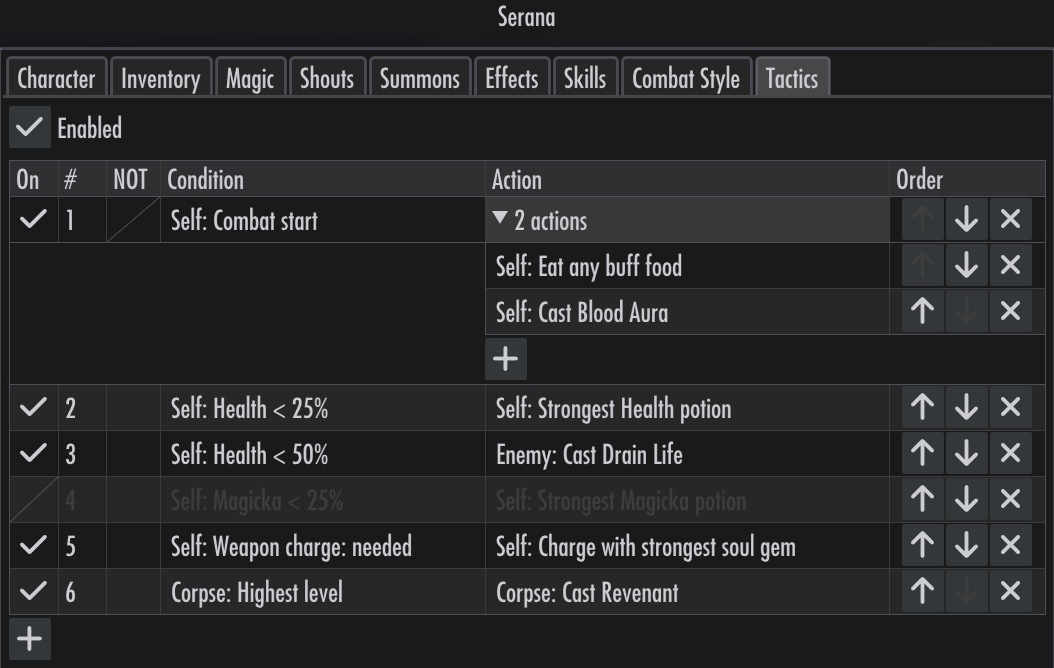
The list is evaluated top-down. When a condition is met, the corresponding actions are tried. If none can be executed, evaluation moves to the next rule in the same tick. See Unavailable.
Tactics are only applied in combat (with the exception of Combat end; see below).
Conditions
To set a condition, first select a target by clicking on the condition cell:
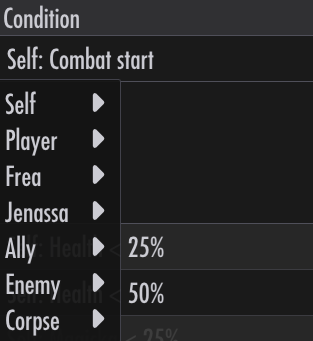
Selfis the follower.Playeris the player.Followeris a specific follower, chosen by name.Allyis the player or another follower.Enemyis any NPC hostile to the player.Corpseis a dead body in the area.
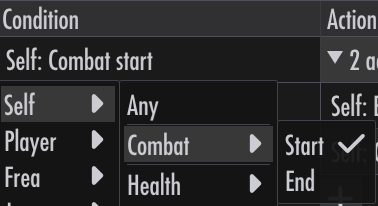
Then select a condition:
Conditions explained
Most conditions are self-explanatory. A few are worth highlighting.
Combat start is checked the first tick after combat begins. Combat start rules are checked first, before other rules. If there are multiple Combat start rules, their actions are concatenated in rule order.
Combat end is checked the first tick after combat ends. Unlike other rules, these are evaluated outside of combat. If there are multiple Combat end rules, their actions are concatenated in rule order.
Attacks with is the kind of attack the target uses (e.g. Melee or Magic, Fire or Frost).
Hit by is the kind of attack the target is being hit by.
Armor is shown as percent of damage reduction, rather than absolute values.
Negation
A condition can be negated by checking the NOT column.

Negation applies to each target the condition looks at. Enemy NOT Type: Undead matches an enemy that is not undead, and an action aimed at Enemy goes at that one. When several match, the nearest is picked. To express “no enemy is undead”, order the rules instead: the rule for the undead first, a catch-all below it.
Any, Combat start, Combat end, the group extremes (e.g. Health lowest), and Corpse: None cannot be negated.
Actions
Actions, like conditions, first require a target:
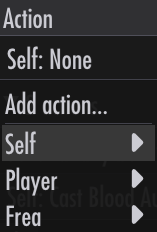
Ally, Enemy, and Corpse are the one the condition matched. Enemy under a condition not about an enemy is whoever the follower is fighting, or else the nearest enemy. Attacker is whoever last hit the condition’s target.
Then an action:
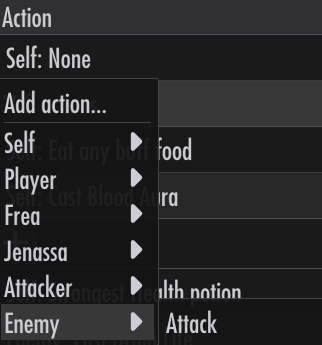
Actions are contextual. A follower without potions in their inventory will not see a Potion action. A spell that targets Self will not show up under Cast for Enemy.
Actions respect gameplay rules. A follower who doesn’t meet the skill requirement to cast a spell cannot equip it. Per the base game, this limitation does not apply to the player.
Equip actions override equipment settings during combat. If a follower has an Iron Dagger pinned to their right hand, but an action says to equip a Steel Sword, the action takes precedence for the duration of combat. Pins and bans are restored after combat.
Equip actions effectively pin during combat. An action that equips e.g. a Steel Sword in the right hand prevents the AI from equipping something else there. Only another rule can change the equipment.
Actions explained
Most actions are self-explanatory. A few are worth highlighting.
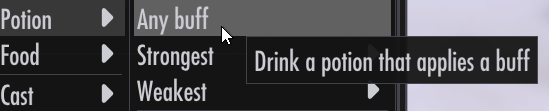
The Any buff action for Potion picks a random potion that applies a buff, e.g. Fortify Conjuration. A potion that fails to stack with an existing effect (i.e. one that has the same effect and magnitude as an active effect) is not picked.
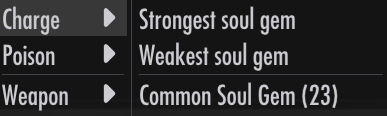
The Charge action for enchanted weapons has two policies. Strongest picks the largest gem that doesn’t overfill the weapon, or the smallest carried if every gem would. Weakest picks the smallest gem carried, even if it overfills.
Dual casting and power bashing
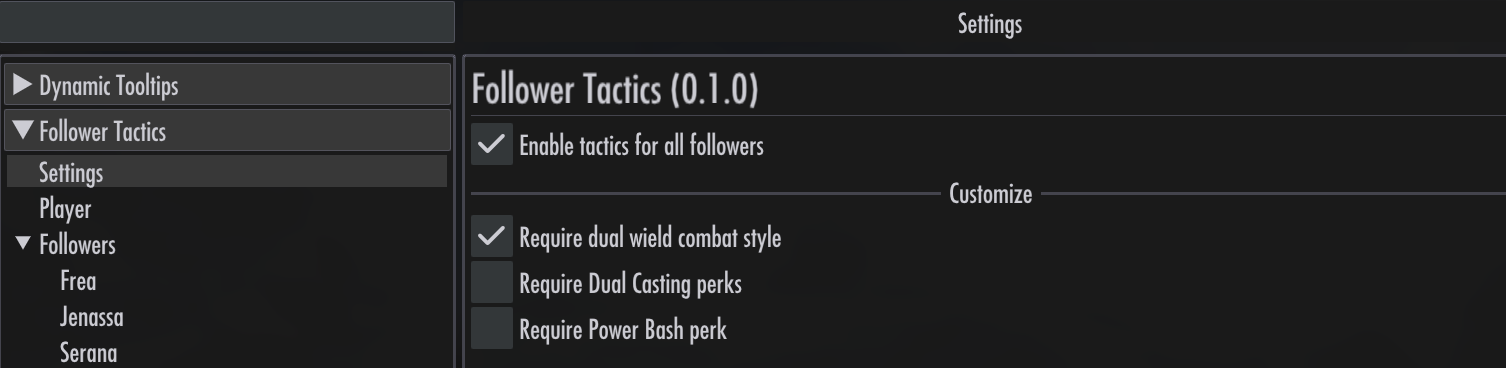
Under Settings > Customize, two switches control whether followers need perks for these actions:
Require Dual Casting perks: requires the spell school’s Dual Casting perk forDual Cast.Require Power Bash perk: requires the Block tree’s Power Bash perk forPower Bash.
Both switches are off by default, so followers can use these actions without the corresponding perks. Turning a requirement on hides the action for followers who lack the perk and makes existing actions that require it unavailable.

These switches apply to all followers and are saved with the game.
Multiple Actions
More than one action is allowed for a rule.
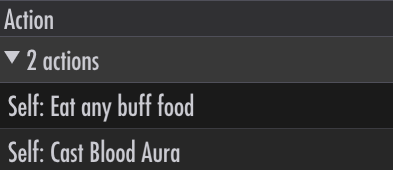
Actions are taken in order, one per tick. A rule with 4 actions will occupy the next 4 ticks, unless an action is skipped because it cannot be executed, in which case the next action is tried in the same tick.
Cooldowns
An action that fires goes on cooldown for its target: about 3s for potions, food, poisons, and soul gems; 2s for casts, shouts, and attacks; 1s for equips. The same action on the same target is blocked meanwhile, whichever rule asks. Cooldowns reset when combat starts.
Enabling / Disabling
All followers
Tactics can be enabled or disabled for all followers in the Settings menu.
Per follower
Rules can be enabled or disabled for each follower.
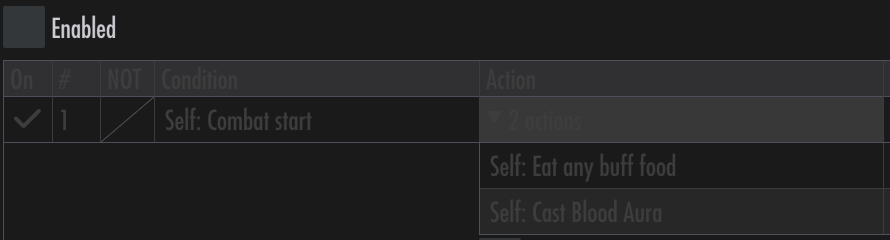
Clicking the On header can enable / disable all rules individually.
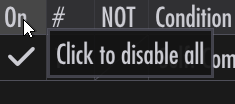
This is useful for testing a particular rule, for example.
Per tactic
A rule can be also be individually toggled on / off. Disabled rules are not considered during evaluation.

Unavailable
A rule whose condition or action is invalid is unavailable. For example, a condition set for a follower who has been dismissed, or an action to drink a potion that’s no longer in the inventory.

If there are multiple actions for a rule, the rule is unavailable if all actions are invalid. If only some actions are invalid, the invalid ones are skipped.