

Getting started
Install
One DLL runs on Special Edition 1.5.97 and every Anniversary Edition build, 1.6.317 through the current 1.7.104; the Address Library resolves each runtime. VR is not supported. Development and in-game verification use 1.5.97, 1.6.1170 and 1.7.104.
The following dependencies are required; install versions matching your Skyrim runtime:
Install normally via your preferred mod manager (e.g. MO2).
Compatibility
Compatible with vanilla followers (including Serana, who is highly custom), as well as most follower management systems, such as Simple Follower Framework.
Some heavily scripted followers, like Megara from Katana - Journey in the Shadows, may actively fight against some features, such as weapon pinning. Other features, drinking potions via tactics, work fine.
Uninstall
Leave combat, save, and uninstall normally.
Interface
To bring up the interface, open the SKSE Menu (default key F1) and select Follower Tactics.
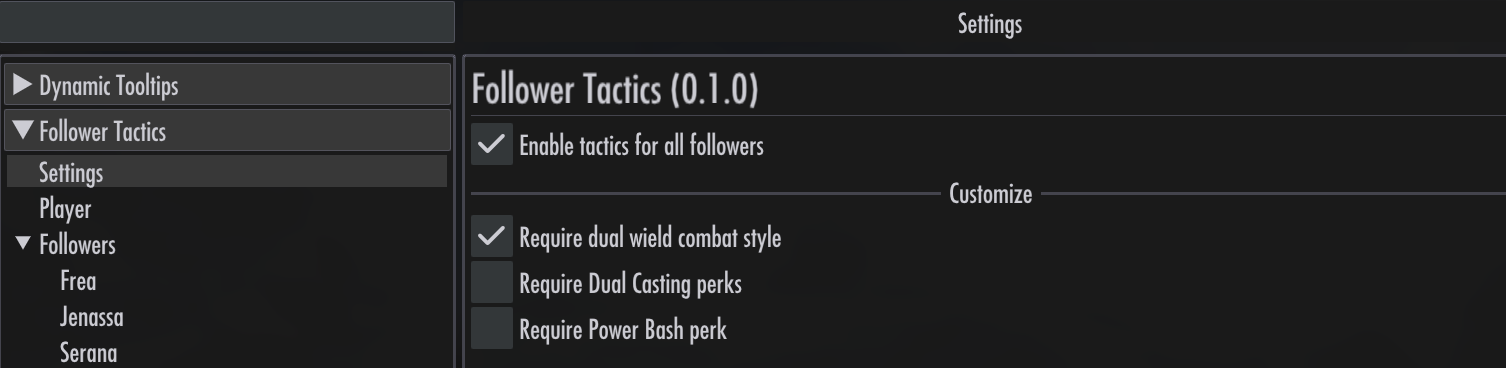
A follower starts with no tactics. Nothing changes until you add a rule.
Saving your changes
Tactics, follower enable / disable switches, pins, bans, and Settings choices are saved when you save the game, including quicksaves and autosaves. There is no separate save button for the mod.
Loading an earlier save restores the choices saved with it. Closing the panel does not save changes, and quitting without saving loses them. These choices belong to each game save; they are not shared across characters or new games.
Reporting problems
The log is Documents\My Games\Skyrim Special Edition\SKSE\FollowerTactics.log. FollowerTactics.events.jsonl beside it records what tactics did, one event per line. Earlier sessions are kept in SKSE\FollowerTactics\.
For more detail, create Data\SKSE\Plugins\FollowerTactics.ini:
[Log]
level = debug